tool(
  weathR::point_forecast,
  name = "point_forecast",
  description = "Returns point forecast meteorological data for a given latitude, longitude, and
timezone.",
  arguments = list(
    lat = type_number("Latitude of the location."),
    lon = type_number("Longitude of the location."),
    timezone = type_string("The nominal timezone for the forecast. One of OlsonNames() strings or
'-1' for local time. Defaults to '-1'.", required = FALSE),
    dir_numeric = type_boolean("TRUE for numeric wind directions, FALSE for character directions.
Defaults to FALSE.", required = FALSE)
  )
)Tool calling
Lecture 27
Dr. Benjamin Soltoff
Cornell University
INFO 2951 - Spring 2026
April 30, 2026
Announcements
Announcements
- Project presentations tomorrow
- All remaining project components due next Tuesday
Learning objectives
- Identify the value of calling external tools from LLMs
- Define and call tools using {ellmer}
- Implement tools that interact with Shiny apps
- Create natural language interfaces to data with {querychat}
Application exercise
ae-25
Instructions
- Go to the course GitHub org and find your
ae-25(repo name will be suffixed with your GitHub name). - Clone the repo in Positron, run
renv::restore()to install the required packages, open the Quarto document in the repo, and follow along and complete the exercises. - Render, commit, and push your edits by the AE deadline – end of the day
🔓 Decrypt the .Renviron.secret → .Renviron
source("secret.R")- The special phrase is:
info-2951
Tool calling
A robot wearing a tool belt, selects a tool from a wall of futuristic space tools. A sign above the wall reads “Tools”.
Recall: How do LLMs work?
You write some words
The LLM writes some more words
You use those words
On their own, can LLMs… access the internet? send an email? interact with the world?
Let’s try it
Tools
a.k.a. functions, tool calling or function calling
- Bring real-time or up-to-date information to the model
- Let the model interact with the world
- Foundation for agentic AI
Chatbot systems
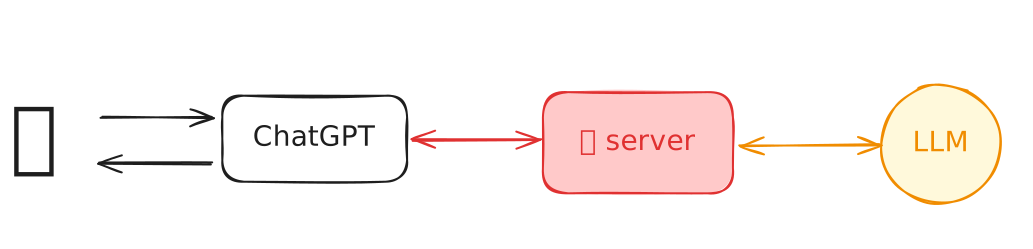
user vs. programmer


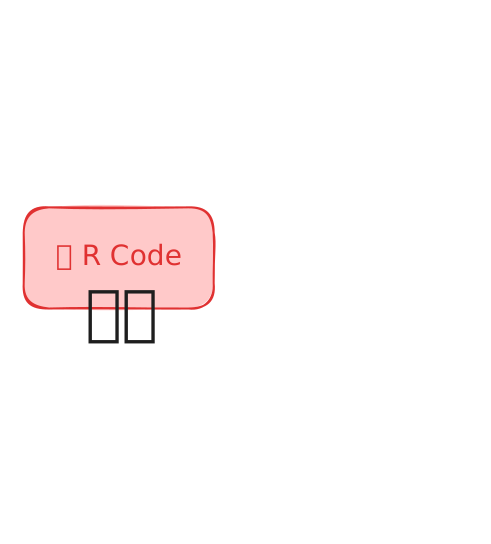
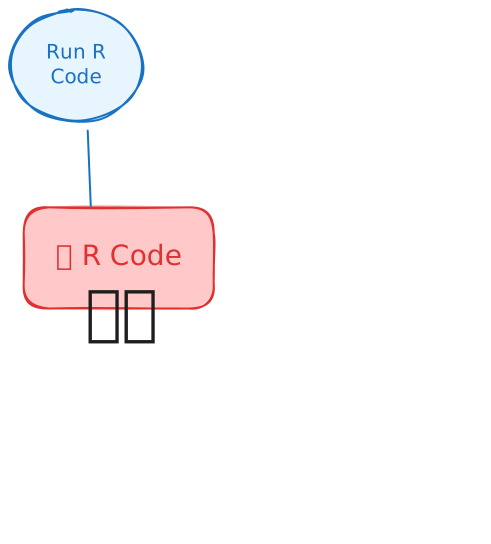
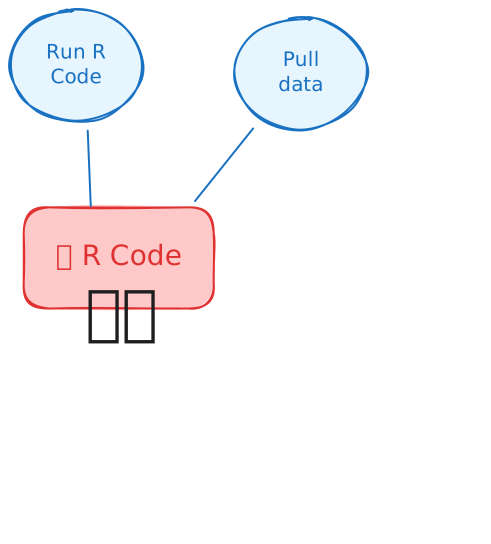
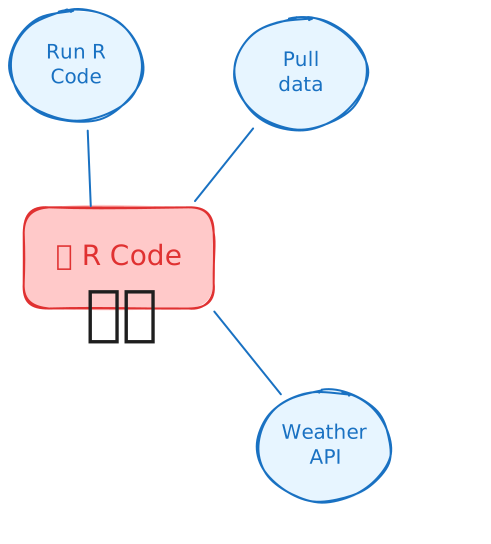
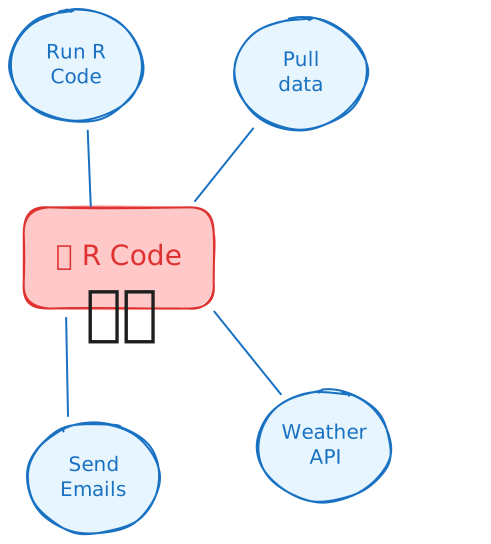
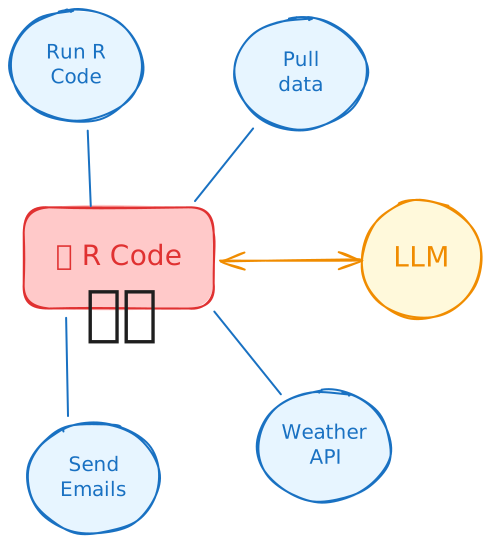
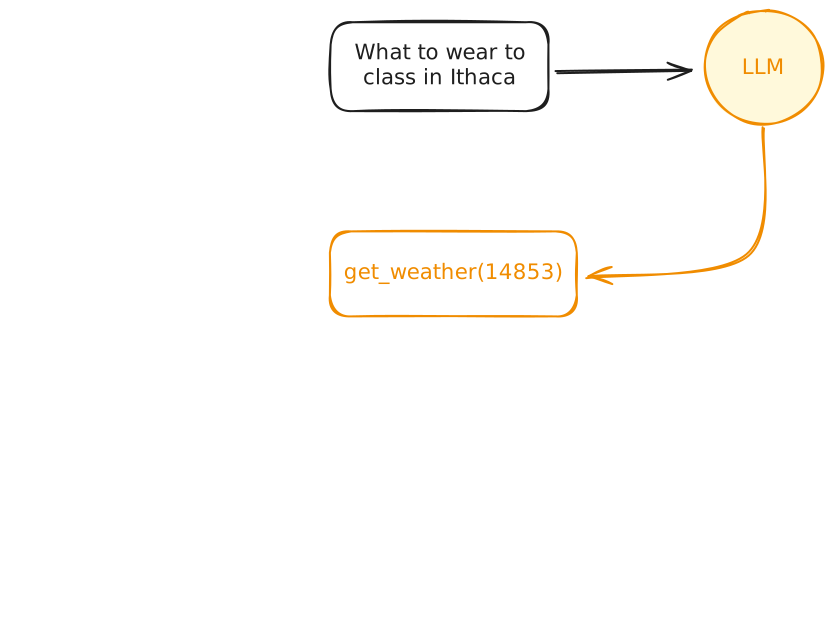
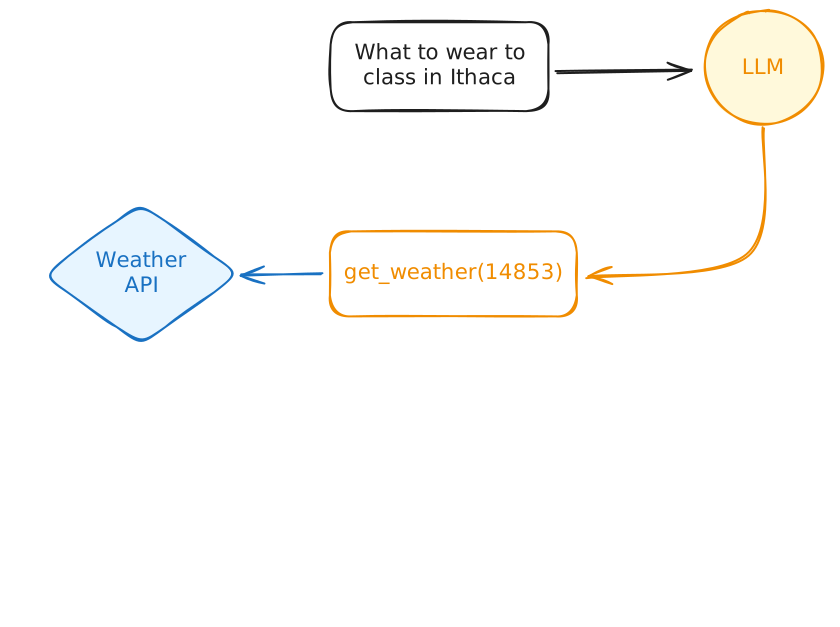
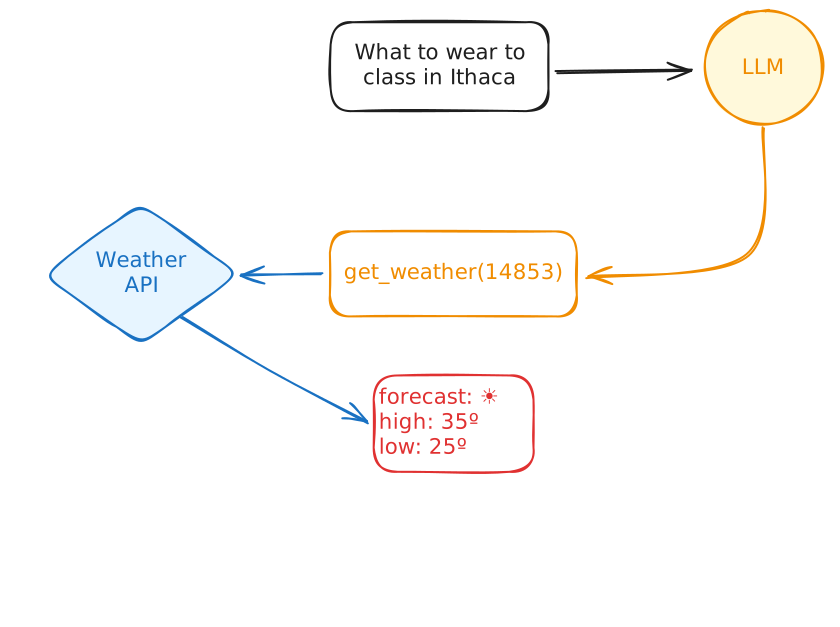
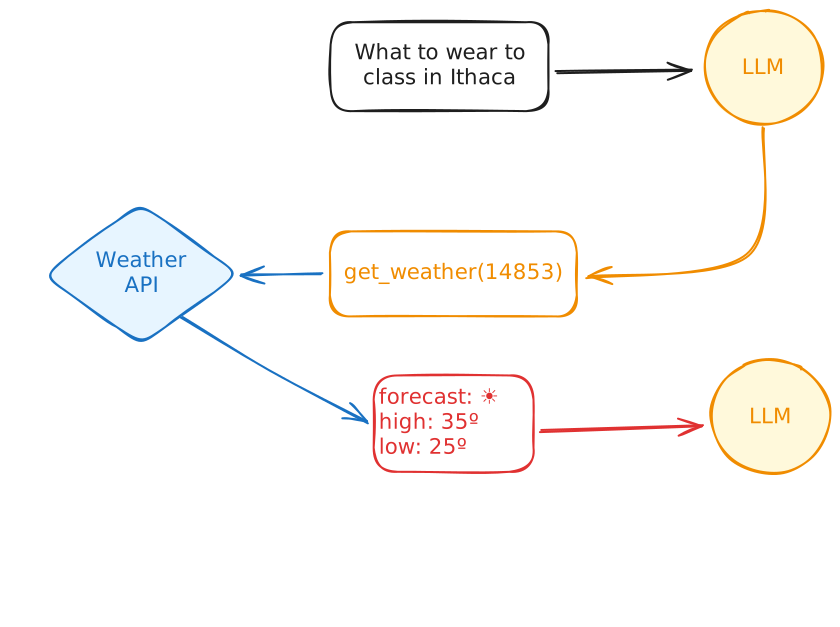
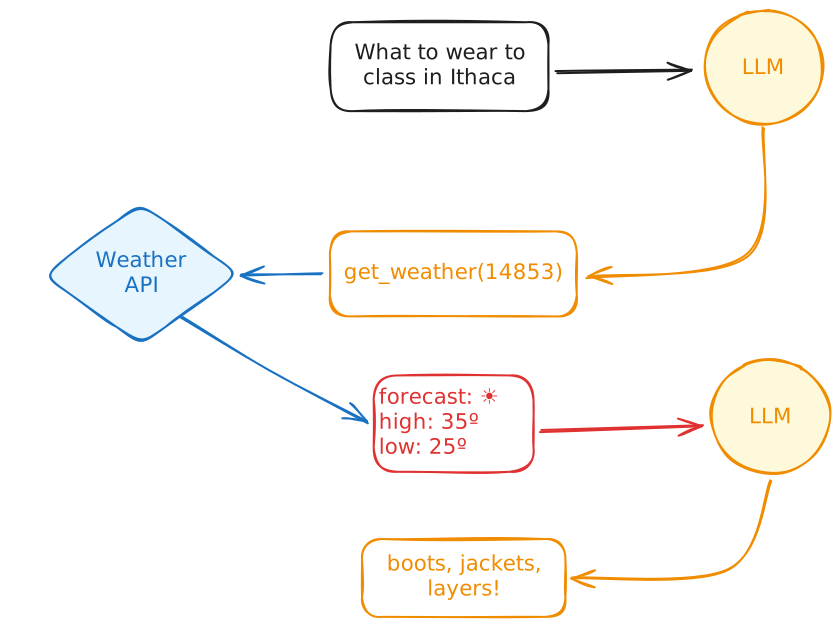
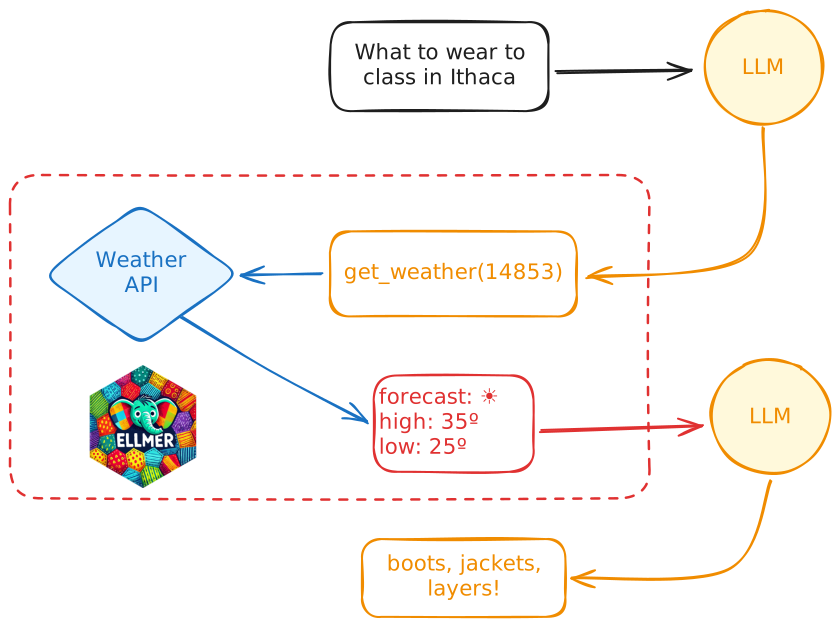
How do tool calls work?
What should I wear to campus tomorrow?
Human in the loop
👨💻 _demos/18_manual-tools/app.R
Wait… I can write code!
Wait… I can write code!
Wait… I can write code!
Simple feature collection with 156 features and 8 fields
Geometry type: POINT
Dimension:     XY
Bounding box:  xmin: -76.4953 ymin: 42.4397 xmax: -76.4953 ymax: 42.4397
Geodetic CRS:  WGS 84
First 10 features:
                      time temp dewpoint humidity p_rain wind_speed wind_dir             skies
1  2026-01-06 15:00:00 EST   40 2.777778       89     86          7       SE        Light Rain
2  2026-01-06 16:00:00 EST   40 2.777778       89     84          7       SE        Light Rain
3  2026-01-06 17:00:00 EST   39 2.777778       92     82          7       SE        Light Rain
4  2026-01-06 18:00:00 EST   39 2.777778       92     52          7       SE Chance Light Rain
5  2026-01-06 19:00:00 EST   39 3.333333       96     51          8       SE Chance Light Rain
6  2026-01-06 20:00:00 EST   39 2.777778       92     49          8       SE Chance Light Rain
7  2026-01-06 21:00:00 EST   39 3.333333       96     95          8        S        Light Rain
8  2026-01-06 22:00:00 EST   39 3.333333       96     95          8        S        Light Rain
9  2026-01-06 23:00:00 EST   39 3.333333       96     89          7        S        Light Rain
10 2026-01-07 00:00:00 EST   38 3.333333      100     66          6        S Light Rain Likely
                   geometry
1  POINT (-76.4953 42.4397)
2  POINT (-76.4953 42.4397)
3  POINT (-76.4953 42.4397)
4  POINT (-76.4953 42.4397)
5  POINT (-76.4953 42.4397)
6  POINT (-76.4953 42.4397)
7  POINT (-76.4953 42.4397)
8  POINT (-76.4953 42.4397)
9  POINT (-76.4953 42.4397)
10 POINT (-76.4953 42.4397)
Wait… I can write code!
chat <- chat_openai(model = "gpt-5.4-nano", echo = "output")

# Register the tool with the chatbot
chat$register_tool(get_weather)

chat$chat("What should I wear to class tomorrow in Ithaca, NY?")
◯ [tool call] point_forecast(lat = 42.4444, lon = -76.5016)
#> [{"time":"2026-04-29 09:00:00 EDT","temp":55,"dewpoint":10,"humidity":83,"p_rain":3,"wind_speed":5,"wind_dir":"S","skies":"Cloudy","geometry":{"type":"Point","coordinates":[-76.5016,42.4444]…
#> In Ithaca tomorrow, expect cool temps and at least a chance of rain—especially around the day—roughly **mid-40s to low/mid-50s °F** with a **breezy NW wind**.
#>
#> **Wear:**
#> - **Layers:** long-sleeve shirt + **sweater/hoodie**
#> - **Outerwear:** a **water-resistant/windproof jacket** (or shell)
#> - **Bottoms:** jeans or other long pants
#> - **Shoes:** **water-resistant** shoes/boots (mud/soggy sidewalks likely)
#> - **Carry:** a **small umbrella** or just rely on your rain jacket
#>
#> If you tell me what time you have class (morning vs afternoon) and whether you’ll be walking a lot, I can fine-tune it.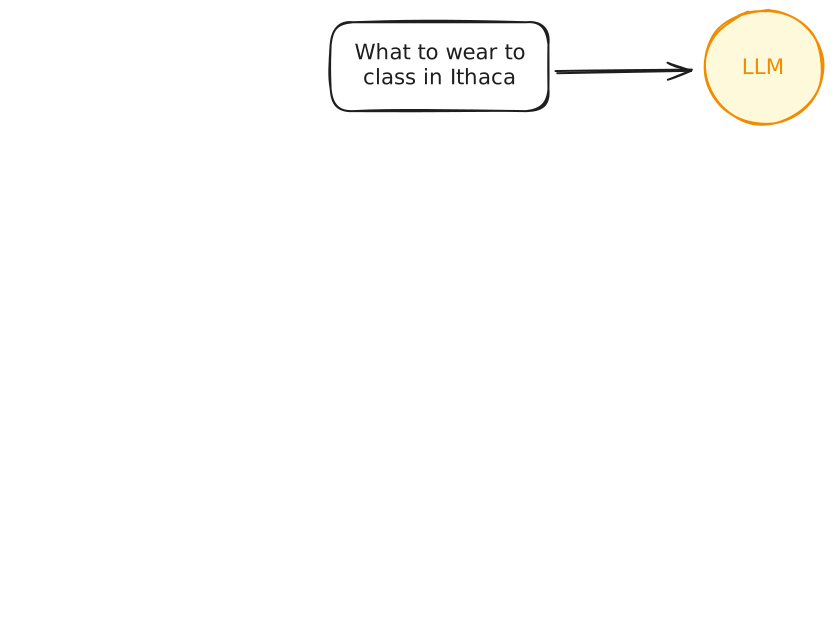
Recap: Tool definitions in R
querychat
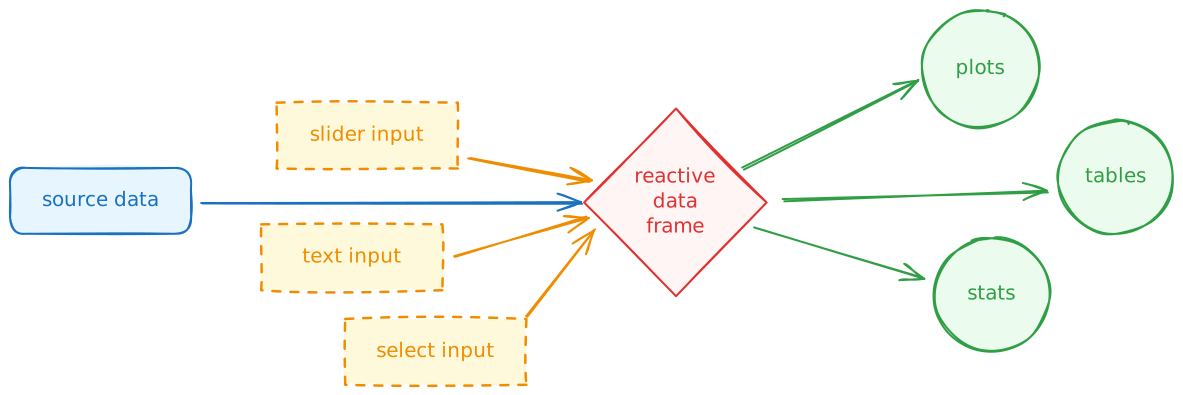
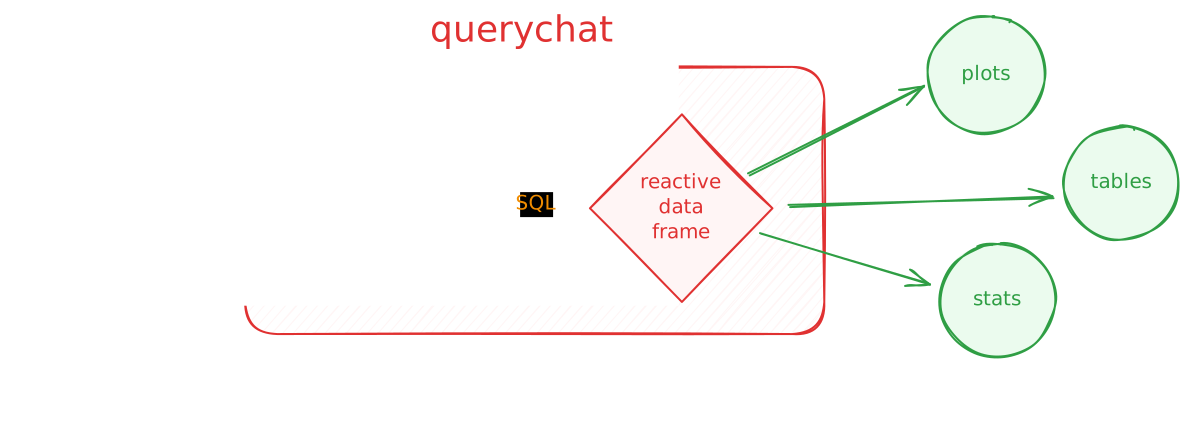
How it works
Natural language chat powered by LLMs
Does not provide the LLM direct access to raw data
It can only read or filter data by writing SQL
SELECTstatements- Reliability
- Transparency
- Reproducibility
Leverages DuckDB for its SQL engine
{querychat} tooling
- Data updating
- Filter data
- Sort data
- Reset dashboard
- Does not send data to the LLM
- Data analysis
- Calculate summaries
- Return summaries to the LLM for interpretation
{querychat} in R
⌨️ 20_querychat
Instructions
I’ve made a Shiny dashboard to explore Airbnb listings in Asheville, NC.
- Spend 1-2 min: which Neighborhood has most private rooms?
Work through the steps in the comments to use {querychat}.
Spend a few minutes exploring the data and chatting with the app.
Which area has the most private rooms?
08:00
Enhancing {querychat}
- Provide an explicit user greeting
- Augment the system prompt
- Data description
- Custom greeting
- Use a different LLM provider/model
The now and future of AI
Current trends with AI
- Model Context Protocol (MCP)
- Thinking/reasoning models
- Agentic AI (e.g. Claude Code, Codex CLI)
- Increasing capabilities of local LLMs
Challenges facing AI
- Increasing consumption of resources
- Rising costs due to agentic AI
- Environmental impact
- “AI slop”
- Workforce displacement
Wrap-up
Recap
- Tool calling lets LLMs access real-time information and interact with the world
- We can define tools in R using {ellmer}
- Leverage LLMs to create natural language interfaces to data with {querychat}
- The Model Context Protocol (MCP) standardizes how LLMs can access tools
Acknowledgments
- Materials derived in part from Programming with LLMs and licensed under a Creative Commons Attribution 4.0 International (CC BY) License.